
A Mr Green deposit takes a few minutes of your attention: log in, open the cashier, choose a payment method, enter an amount and confirm. The steps above show the order. This page covers what sits behind them and what to do if a payment does not go through.
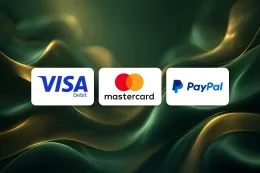
Debit cards are the payment method listed, and the table above marks them as available for both deposits and withdrawals. Before you start, have your login details to hand. If you do not have an account yet, sign up first.
Have a debit card in your own name ready, with the card number, expiry date and security code. Your bank may also ask you to confirm the payment in its app or by a code, so keep your phone nearby. Check the amount twice before you confirm, because you are the only one who can decide what you are comfortable spending.
What happens behind a deposit

Payment method and card rules
Debit cards are the payment method for deposits at Mr Green. The card should be a debit card in your own name. Credit cards are banned for gambling in Great Britain, so a credit card will not work and you should not try to use one. Using a card that belongs to someone else, even a family member, is not a workaround. Names on payment methods are expected to match the name on your account.
Because withdrawals are also marked as available for Debit cards, the card you deposit with is also the one to think about when you cash out. The withdrawals guide covers that side in more detail.
Age and identity checks
UK-licensed operators must verify age and identity before a customer can deposit or play. At Mr Green, identity verification is required, so expect to be asked for documents at some point. Photo ID and a recent proof of address are the usual documents, so it helps to keep clear copies on your device. The verification guide explains how the process works and what to prepare.
Verification can take time, because documents are reviewed and sometimes a second attempt is needed. The page does not promise a specific time, so avoid planning around a deadline, such as funding your account at the last minute for an event.
What the deposit step involves
When you open the cashier and choose to deposit, you pick the payment method and enter the amount. Then you confirm. Your bank may add its own security step at this point, which is normal for card payments and is separate from anything Mr Green does.
Check the details you entered before you confirm. A mistyped digit in the card number or a wrong expiry date is the most common reason a payment is declined, and it is quicker to fix before you submit than after.
Deposits and offers
Offers have their own rules and are not part of the deposit steps themselves. If you are thinking about the welcome offer, read the welcome bonus page before you pay in, and check the terms there. T&Cs apply to every offer, so the conditions matter more than the headline.
Licence and safety
Mr Green is a UK-licensed operator, and you can look up the licence on the Gambling Commission register. For a wider view of the brand's safety, see is Mr Green safe.
18+ · T&Cs apply
Common problems and what to do

The payment is declined
Start with the basics. Check the card number, expiry date and security code, and make sure the name on the card is the one on your Mr Green account. Confirm that the card is a debit card, since credit cards are not accepted for gambling in Great Britain.
If the details are right, contact your bank. Some banks let customers block gambling transactions in their banking app, and a block of that kind will stop a deposit even though the card is fine. Your bank can tell you whether it refused the payment and why.
The money has left your bank but your balance has not changed
Look at your bank statement to see whether the payment is pending or completed. A pending card payment is not always a finished deposit, so give your bank the chance to settle it before you try again. Making a second payment while the first is still pending can leave you paying twice.
If the payment shows as completed and your balance has not changed, contact Mr Green support through the contact page. Give your username, the date, the amount and the last four digits of the card. Never send your full card number, security code or password to anyone, support included.
A document is rejected
Rejected documents are usually down to quality or a mismatch, not a refusal of you. Common causes are a blurry photo, a cropped edge, an expired document or a name that differs from the one on your account. Take a new photo in good light with all four corners visible, and send a document that shows the same name and address as your account.
Do not alter or edit a document to make it fit. Identity checks are not something to work around. If you cannot supply what is asked, contact support and explain the situation. The verification guide has more.
You cannot log in to deposit
If you have forgotten your password, use the reset route on Mr Green's own website or app, and follow the login guide for the general steps. Do not enter your password on any site that reached you through an emailed or texted link. Go to Mr Green directly instead.
When to contact support
Contact support when a payment has left your account and not arrived, when a document keeps being rejected after a clean retry, or when you cannot tell what your bank is blocking. Use the channels on the contact page. Keep a record of the date, amount and any messages so you can describe the problem in one go.
Account safety and keeping control

Enter your password only on Mr Green's own website or app. If a message asks you to log in through a link, ignore the link and go to the site yourself. Use a password you do not use anywhere else, and do not share your login or your card details with anyone.
Set a deposit limit before your first payment rather than after. UK-licensed operators must offer deposit limits, time-outs and self-exclusion, and GAMSTOP covers all UK-licensed online operators. The safer gambling page explains the tools, and you can change a limit whenever your circumstances change.
Treat every deposit as money you are spending on entertainment and can afford to lose. Do not deposit to recover earlier losses, and do not use money set aside for bills or rent. If a deposit makes you uneasy, stop there. GamCare and its National Gambling Helpline are available if you want to talk to someone.
Keep your documents ready in a safe place, and check the terms and conditions on the terms page if something about a payment is unclear. Finally, check your bank statements now and then, so that you can spot an unfamiliar payment early and raise it with your bank.