
A Mr Green withdrawal is a short job in the cashier, and the steps above show the order: log in, make sure your account is verified, choose to withdraw, pick your debit card and enter the amount. What takes the time is usually not the request itself but the checks that sit behind it.
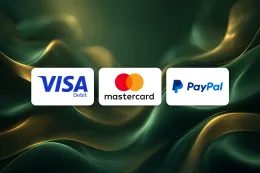
Before you start, have three things to hand. The first is your login details for Mr Green's own website or app. The second is a debit card issued in your name, which is the method shown in the table above for both deposits and withdrawals. The third is a photo of your identity document and, if asked, proof of address, in case your account is not yet verified.
This page explains what stands behind the steps, what to do when a withdrawal does not go as expected, and how to keep your account secure. If you have not completed identity checks yet, read the verification guide first, because Mr Green requires verification before it pays out.
What happens behind a Mr Green withdrawal

Identity checks come first
Mr Green is a UK-licensed casino, and a UK licence means age and identity must be verified before a customer can deposit or play. Verification at Mr Green is required, and the withdrawal steps depend on it. If your documents have already been accepted, the withdrawal request goes straight through the cashier. If they have not, the request cannot be completed until the check is done.
That is why a first withdrawal can feel slower than later ones. It is the point at which many players first send documents, and a person or system has to review them. Sending your documents before you request a payout means the check is out of the way earlier. The verification guide lists what is usually asked for and how to send clear copies.
Which method you can use
The table above shows that debit cards are available for withdrawals as well as deposits. In practice this means you can deposit and withdraw with the same type of payment method, which keeps things simple.
Use a debit card that is issued in your own name. Operators generally match the name on the payment method to the name on the account, and a card belonging to someone else is the most common reason a payment is refused. This is general advice rather than a rule specific to Mr Green, but it is a good habit for any online casino.
Credit cards are banned for gambling in Great Britain, so they cannot be used to fund or receive money from a casino account. If you want to see how funding works in the other direction, the deposit guide covers it.
What the cashier asks for
Open the cashier, choose the withdrawal option, select your card and enter the amount. The cashier shows the amounts you can withdraw and any conditions that apply to your account at that moment, so check them before you submit the request.
Withdrawing is separate from any bonus you may have claimed. If you have an active offer, its own conditions apply, and they are set out in the terms for that offer. Read them in the terms and conditions before you assume a balance is ready to withdraw.
Why your name and details must match
The details on your account, your identity document and your payment method should all agree. A middle name left out, a different spelling or an old address can cause a document to be rejected even when it is genuine. Check your account details against your documents before you submit anything, and correct any difference first.
If you want to confirm that Mr Green is licensed to operate for UK players before you send documents, read is Mr Green legit?. The Gambling Commission's public register entry shows the licence itself.
18+ · T&Cs apply
Common withdrawal problems and what to do

The withdrawal option will not complete
Start with the simplest cause: the account is not fully verified. Because withdrawals need identity checks, an unverified account is the first thing to rule out. Go through the verification guide, send what is missing and then try again.
Next, check that you are logging in on Mr Green's own website or app and that you chose a method shown as available for withdrawals. If you are locked out of your account, use the login guide rather than creating a second account, which would complicate checks later.
A document is rejected
Documents are usually rejected for ordinary reasons: a blurred or cropped photo, a corner of the page cut off, glare over the text, an expired document or a name that does not match the account. Retake the picture in good light on a flat surface, with all four edges visible, and send it again.
If you are unsure why a document was refused, ask support to say what was wrong before you resend it. Do not edit, crop or alter a document in any way to make it fit. Only genuine, unaltered copies are acceptable.
The payment has not arrived
Once a withdrawal request is complete, the time it takes to reach you depends on the payment method, on your bank or card issuer and on Mr Green. Card payments can also take longer to appear on your side, depending on how your bank processes them.
If the money has not arrived after a reasonable wait, check three things in order:
- Your account is verified and the request was fully submitted in the cashier.
- The card details are correct and the card is still active.
- Your own bank statement, since card payments can take a little while to show up on your side.
The card is refused
A card can be refused because it has expired, was replaced, belongs to someone else or is not a debit card. Check the card number, expiry date and name first. If your bank issued a replacement card, the old details may no longer work, and you may need to add the new card before requesting a withdrawal.
When to contact support
Contact Mr Green support if a document has been refused and you do not understand why, if a request looks stuck after you have checked the points above, or if the amount that arrives is not what you expected. Use the contact page to see how to reach the team.
Give them the date of the request, the amount, the card you used (the last four digits are enough) and any reference shown in the cashier. A short, specific message gets a faster and clearer answer than a general complaint.
If the problem is still not solved after you have spoken to Mr Green, the Gambling Commission's website explains how licensed operators are expected to handle complaints.
Keeping your account safe when you withdraw

Enter your password only on Mr Green's own website or app. Do not follow a link in a message, and do not type your details on any page that asks for them in return for a payout. This site has no login or payment form, and the login guide explains how to reach your account.
Use a password you do not use anywhere else, and keep your documents in a safe place on your own device. Do not share your login or your card details with anyone, including anyone who claims to be helping you withdraw.
Keep your account details up to date. If you change your name, address or card, update them before your next request, because mismatched details are a common cause of delays.
Set a deposit limit that suits your own finances. Deposit limits, time-outs and self-exclusion are available from every UK-licensed operator, and GAMSTOP covers all UK-licensed online casinos. You can find more on the safer gambling page, or speak to GamCare or use GAMSTOP if gambling is becoming a problem.
Finally, check each withdrawal request before you confirm it. Look at the amount and the card selected, and keep a note of the date. That record helps if you ever need to ask support about a payment.